


Published by Fix My Mac Hyderabad · Updated
Quick answers before you book
- What determines an iPad screen quote?
- The model, whether the display is bonded, the condition of the picture and touch, and any frame damage determine the repair scope.
- What should I bring with the iPad?
- Record the model and symptoms. Include the charger, Pencil or keyboard only if it is needed to reproduce the reported fault.
- What if the only copy of my files is on it?
- Tell us before a reset or restore is considered. A non-starting device may need a separate recovery assessment.
Cracked glass and unreliable touch
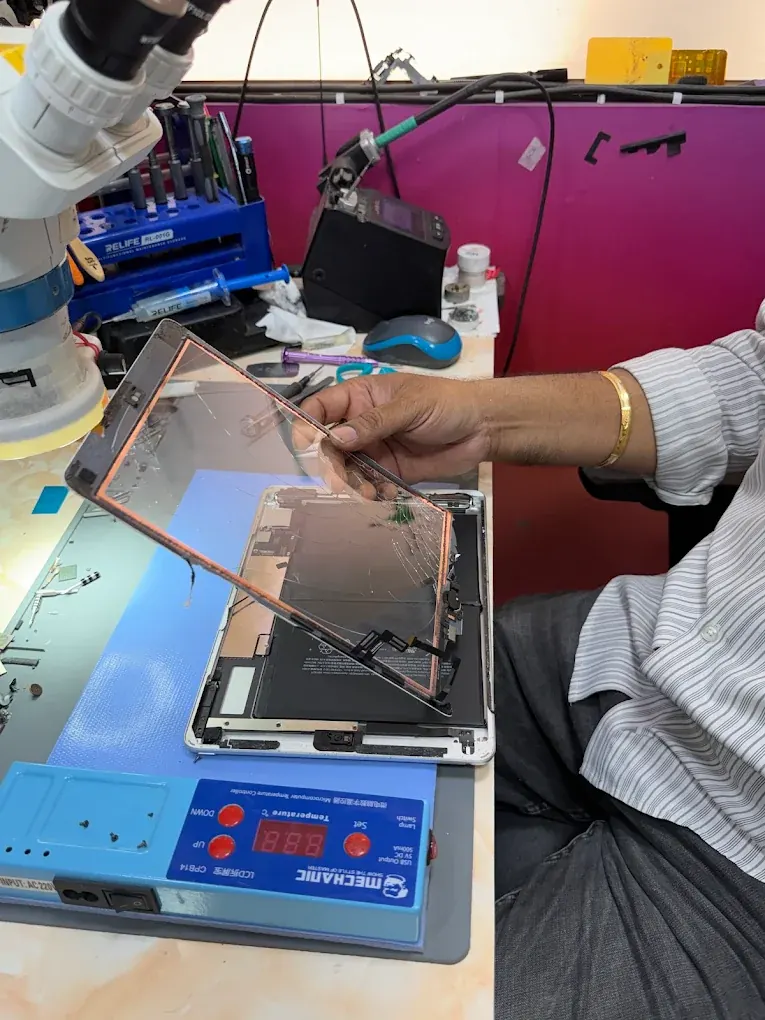
Explain whether the picture is normal beneath the cracked glass and whether touch works across the whole display. Some models use a separate digitiser; others use a bonded display assembly. The quote depends on the model and damage.
Mention a bent frame or a lifting screen so the cause can be checked before a replacement is fitted.
Slow charging and battery concerns
Tell us which adapter and cable you use, whether a charging symbol appears and whether the battery drains while idle. Port wear and battery problems can produce similar symptoms.
An iPad that will not start
Note any logo, restart cycle or computer connection alert. If the iPad contains files you need, explain that before agreeing to a restore or reset.
After a spill, leave it switched off and disconnected from power.
Before collection or drop-off
Back up if possible, remove loose accessories and note any Apple Pencil or keyboard issue separately. Bring accessories only when they are needed to reproduce the fault, and record them at intake.
Can the glass be replaced without the display?
The answer depends on the iPad model and the condition of the picture beneath the glass. A separate digitiser, a bonded display and a damaged LCD call for different repair methods. Share the model number and describe any dark patches, lines or missing image.
A bent housing can prevent a replacement panel from sitting correctly. The frame and adhesive surfaces need assessment alongside the glass, rather than assuming a new screen will resolve every issue.
What should a screen-repair handover include?
Ask to check the display and touch before leaving. If a keyboard or Pencil problem formed part of the agreed repair, bring that accessory for the demonstration.
- Look for image faults and check touch near the edges.
- Try rotation and the buttons involved in the repair.
- Confirm charging and any accessory issue that was reported.
- Check the panel fit and review the repair warranty.