


Get your iMac back to work.
Diagnosis and repair for iMac display, power, storage, cooling and logic-board faults. We check the exact model before recommending parts or upgrades.

An iMac combines its display and computer in one enclosure, so a dark screen does not identify the failed part. We check startup, the display path and power before recommending work.
Tell us the model, symptoms and backup status. We can discuss pickup for a large desktop and assess upgrade compatibility before quoting.
iMac repairs we handle

Display and backlight faults
Cracked glass, missing image, lines and backlight symptoms assessed before quoting the display assembly.

No power and unexpected shutdowns
Power supply and logic-board checks to locate the cause of a dead or unstable iMac.
Storage upgrades and slow startup
Compatible Intel iMac storage upgrades, with backup and migration requirements agreed before work.
Cooling and fan noise
Dust, fan operation, temperature sensors and thermal contact checked for the reported fault.
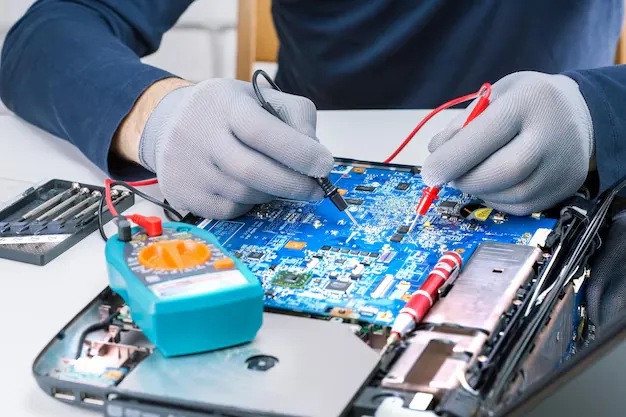
Component-level board repair
Inspection and measurement of the original board before considering replacement.
Startup and kernel-panic diagnosis
Software, storage, memory and board faults separated through model-specific checks.
Speaker and system-connector faults
Intermittent system ports, audio and internal connections inspected for the reported symptom.
Common iMac faults we see
Display and startup
- Cracked glass, lines or missing image
- No power or unexpected shutdowns
- Startup stalls and disk warnings
Performance and cooling
- Persistent fan noise
- Slow storage on a compatible Intel model
- Heat-related instability
What it costs and how long it takes
| Repair | Model | Price | Turnaround |
|---|---|---|---|
| Display glass and panel | Model confirmed at diagnosis | Free quote | Confirmed with your quote |
| Power supply or logic-board repair | Any iMac | Free quote | Confirmed with your quote |
| Compatible storage upgrade | Selected Intel iMacs | Free quote | Confirmed with your quote |
The final price is a fixed quote given after the free diagnosis and before work starts. It should state the exact model, proposed repair and part option, labour and tax treatment, inclusions, exclusions and expected timing. Nothing is repaired until you approve it.
Questions about iMac Repair
Need advice about your device? Call or WhatsApp the workshop to discuss the symptoms and your repair options.
Can every iMac have its storage or memory upgraded?
No. It depends on the exact model and how its components are fitted. We confirm compatibility and backup requirements before recommending an upgrade.
How should I bring an iMac to the workshop?
Protect the display from pressure and impact. Call us about suitable packaging or arrange pickup before moving a large iMac.
Does a dark iMac display mean I need a new screen?
Not necessarily. Power, startup, backlight and board faults can produce similar symptoms. We diagnose the cause before quoting a replacement display.
Will a storage upgrade preserve my existing files?
Agree the backup and migration plan before approving storage work. Whether files can be copied depends on the condition of the original drive. If it is failing and holds the only copy, discuss a recovery assessment first.
What should I check after an iMac screen repair?
Review the picture, brightness and panel fit with the technician. Test the functions included in the approved work and keep the repair record, including the part option and applicable warranty.
Been quoted for a new logic board? Get a second opinion first.
The diagnosis costs you nothing, and if we cannot fix it there is no fee. Worst case, you find out exactly what is wrong with your device.
Tell us what happened
Fill this in, call, or send a photo on WhatsApp. The diagnosis is free either way.
- Monday
- 10:00 am – 8:00 pm
- Tuesday
- 10:00 am – 8:00 pm
- Wednesday
- 10:00 am – 8:00 pm
- Thursday
- 10:00 am – 8:00 pm
- Friday
- 10:00 am – 8:00 pm
- Saturday
- 10:00 am – 8:00 pm
- Sunday
- Closed