

Published by Fix My Mac Hyderabad · Updated
Quick answers before you book
- Which Watch details are needed?
- Share the series, case size and whether the picture, touch, charging and buttons still work.
- Will water resistance be restored?
- Do not assume the original water resistance after repair. Ask what sealing can be provided and what limitations apply.
- Should I unpair the Watch first?
- Discuss what the planned repair requires. Keep account credentials private and make any necessary account changes yourself.
Display and touch
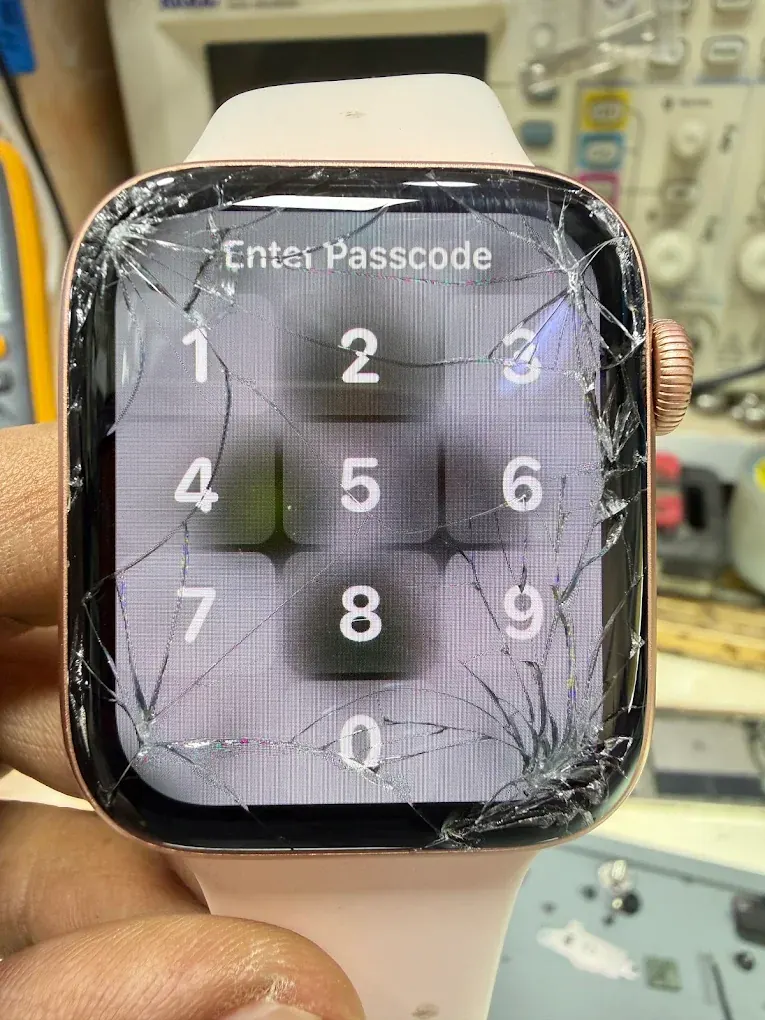
Tell us whether the image remains visible, touch works and the glass is cracked. A screen lifting without a drop may need a battery assessment before it is pressed or resealed.
Charging and battery life
Describe charging behaviour, unexpected shutdowns and how battery life has changed. Include the charging puck when it may be part of the problem, and record it at handover.
Water exposure and sealing
If the Watch stopped working after getting wet, leave it off the charger and arrange an inspection. Ask what sealing can be provided after repair; do not assume the original water resistance has been restored.
Prepare the Watch and paired phone
If the Watch works, check backup and pairing options on your iPhone before handing it over. Discuss whether unpairing is needed for the planned work. Keep your Apple Account credentials private and perform account changes yourself.
Why is the Watch screen lifting?
A lifting screen can follow impact, an adhesive problem or battery swelling. It should be inspected before the display is pressed back into place. Tell us whether there was a drop and whether the case has become unusually warm or the battery life changed.
A visible image beneath cracked glass does not by itself confirm which parts can be reused. Touch, the display assembly, housing and battery condition all affect the quote.
What should I confirm after an Apple Watch repair?
Check the functions included in the repair and ask about the limitations of resealing. A repaired Watch should not be assumed to have its original water resistance.
- Confirm the correct case size and model on the repair record.
- Try touch, the Digital Crown and the side button.
- Check charging with the agreed puck.
- Review pairing, any remaining faults and the written coverage for the work.