


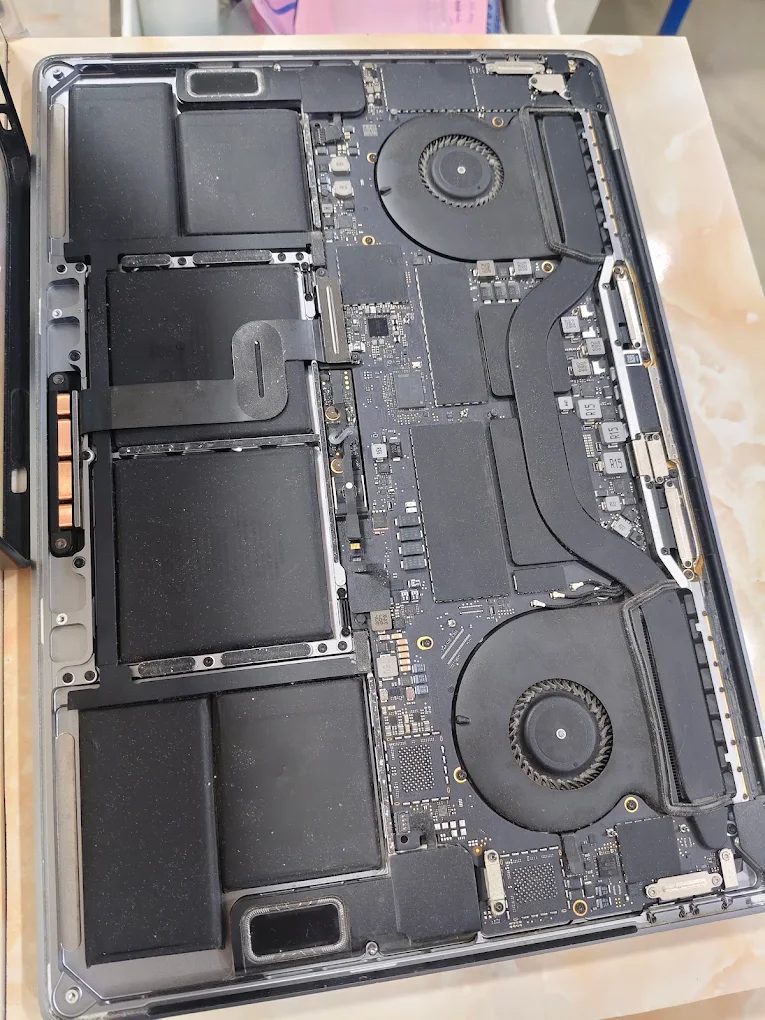
Persistent fan noise, heat-related slowdowns or repeated shutdowns can lead MacBook owners to ask about a cooling service. Fix My Mac Hyderabad can discuss inspection and service options for your MacBook Air or MacBook Pro.
Record the workload before booking
Describe which application is running, whether the MacBook is charging, and which docks or displays are connected. Tell the technician whether the issue appears during light tasks or only under sustained load. Mention any rattling or grinding sound separately from normal airflow noise.
Our separate overheating guide covers initial troubleshooting. This article explains what to discuss when arranging workshop cooling service.
Match the inspection to the model
Cooling designs vary. Some MacBook Air models are fanless, while other MacBooks have active cooling. Share the exact model before asking for a fan replacement or thermal service so the recommendation matches the hardware.
Keep the MacBook on a firm, ventilated surface. If you can use it normally, note applications using unusually high processor resources in Activity Monitor and back up important files.
What a service assessment may involve
Depending on the findings, the work may involve software-load checks, inspection for obstructed airflow, cleaning where appropriate, or repair of a cooling-related component. Thermal materials should be considered according to the model and condition.
Ask which finding supports each proposed task. A fan replacement should address an identified fault on a model equipped with that component.
Confirm the estimate and testing
Discuss the total price, parts required, turnaround and written repair coverage. Explain the workload that triggers the problem so the team can discuss suitable checks after the work. If the MacBook shuts down or important files lack a backup, mention this before further testing.
Contact Fix My Mac Hyderabad
Customers in Gachibowli, Financial District, Tellapur, Narsingi and other Hyderabad areas can contact Fix My Mac to discuss an appointment or pickup window.
Call +91 75696 79419 or use the WhatsApp button on this page. Send your model, the triggering workload and a short recording of any unusual noise.